
Proof approval
No approved artwork, no production
No job can run until its artwork is signed off. No wasted runs.
What this costs while it stays invisible.
- Plates go up before sign-off. New artwork arrives and the batch is waste.
- Approvals are thumbs-ups on WhatsApp. You cannot show them in a billing dispute.
- A late text fix never reaches the operator, who prints the old version.
- 10,000 book blocks get printed while the cover is still unapproved.
- A typo gets the delivery rejected. You pay for the reprint because you have no proof of sign-off.


What changes when the floor can be trusted.
- No machine run can start on a job without an approved proof.
- Approved parts can run while others wait, like inner pages before the foiled cover.
- Clients view proofs, mark changes and approve from their phone.
- A new file cancels the old sign-off and pauses the job.
- Before dispatch, goods are checked against the approved artwork version.
How it works
Step by step on the floor.
- 1Upload artwork and proofs to the order
- 2The client signs off in the portal
- 3Work orders go to the machine queue
- 4Any change pauses production until approved again

Inside the Software
Real application screens. Not concept mockups.
Here is the actual interface your machine minders and plant leadership interact with every day, captured directly from running production setups.
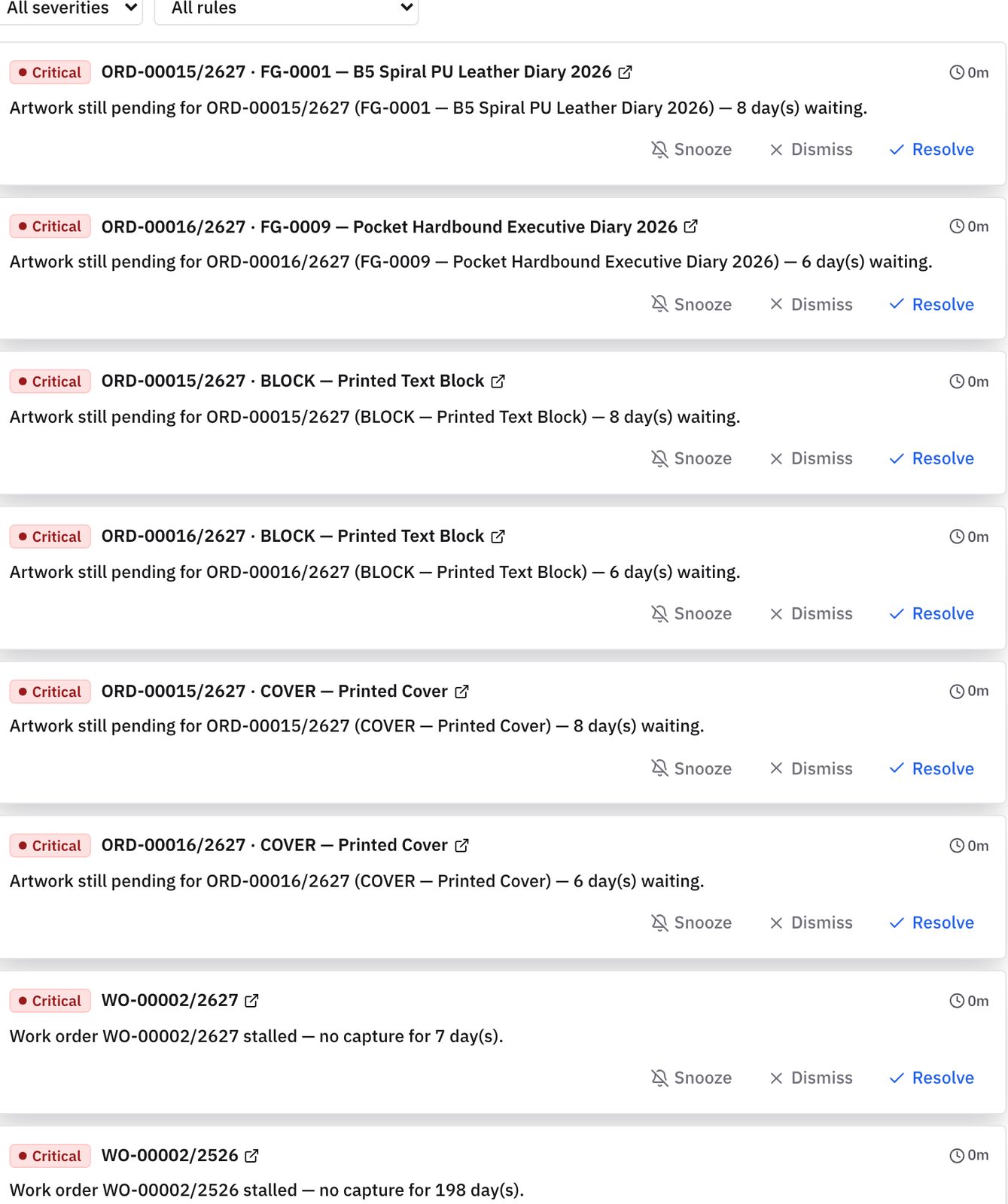
Jobs cannot start until artwork is approved. Every waiting job is named.
- Blocks printing on unapproved artwork
- Shows which orders are held and for how long
- No more chasing approvals by phone
Each approval is saved on the order, so there is no doubt who said yes.
- Time-stamped sign-off on every job
- Clear record of who approved what
- Protects you from reprints caused by wrong files
Keep exploring
Works with
Questions you should ask before buying any system.
Can a manager override the approval check for an urgent VIP job?
No, on purpose. There is no shortcut to run an unapproved file. Managers can release approved parts, so text prints while the cover waits.
What happens if a client sends a new artwork file after production is approved?
Prodman pauses that part, cancels the old sign-off and alerts supervisors. Not one more sheet runs on the old version.
Who can log proof approvals in the system?
The client approves in the passwordless portal, or your prepress team logs it with a signed note. Either way it records the name, time and artwork version.
You should not need to spend your life walking the floor to discover the truth.
Bring us one problematic production order, one chronic bottleneck, or one metric nobody trusts. In thirty minutes, we will show you how Prodman restores order and calm, without asking your machine operators to become clerical typists.
Limited on-site implementations each quarter · Configured by hand