
Follow-up on autopilot
Let software do the chasing
Simple rules watch every order and raise only what needs a person. Nothing slips.
What this costs while it stays invisible.
- Follow-up lives in your head. When you travel, jobs stall.
- A buyer forgets to send artwork. Nobody notices until two days before delivery.
- A proof sits in a client's inbox for four days. No alarm goes off.
- A big order stalls between folding and casing-in. You find out when packing goes idle.
- An outside finisher misses the date. Nobody chases until the truck comes back empty.
- Stock drops below the reorder point and a busy machine stops mid-shift.


What changes when the floor can be trusted.
- Six ready chases: missing files, unsigned proofs, stuck stages, slipping dispatch, late vendors and low stock.
- Name your own assistants, like 'Artwork Chaser' or 'Stock Keeper', for each department.
- Every chase starts off. Turn on only what your plant needs.
- Assistants talk only to your team. They never email clients or suppliers.
- They raise alerts and assign tasks. They never close a task or decide for you.
- They work only in your shift hours. No pings at 2:00 AM.
- Fixed rules you can check. No AI guessing about your factory.
How it works
Step by step on the floor.
- 1Set up an AI Employee and give it a role
- 2Turn on the chases it needs
- 3It watches and assigns tasks to your team
- 4Supervisors act on or override every task, on record
Inside the Software
Real application screens. Not concept mockups.
Here is the actual interface your machine minders and plant leadership interact with every day, captured directly from running production setups.
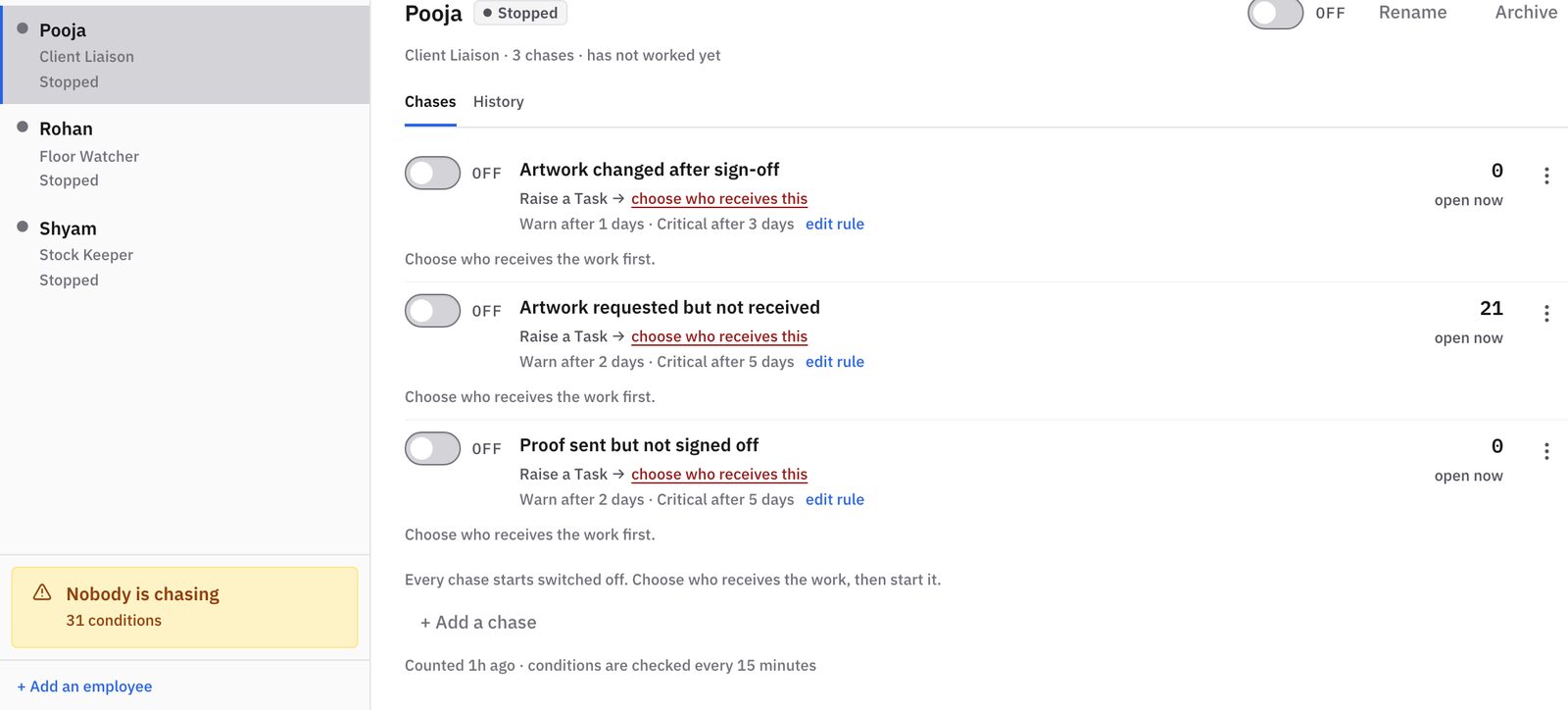
Each AI Employee has a role and a list of things it watches. Pooja chases clients and artwork, Rohan watches the floor, Shyam keeps stock.
- Named employees: Client Liaison, Floor Watcher, Stock Keeper
- Each chase has warn and critical limits
- Turn chases on or off and pick who gets the task
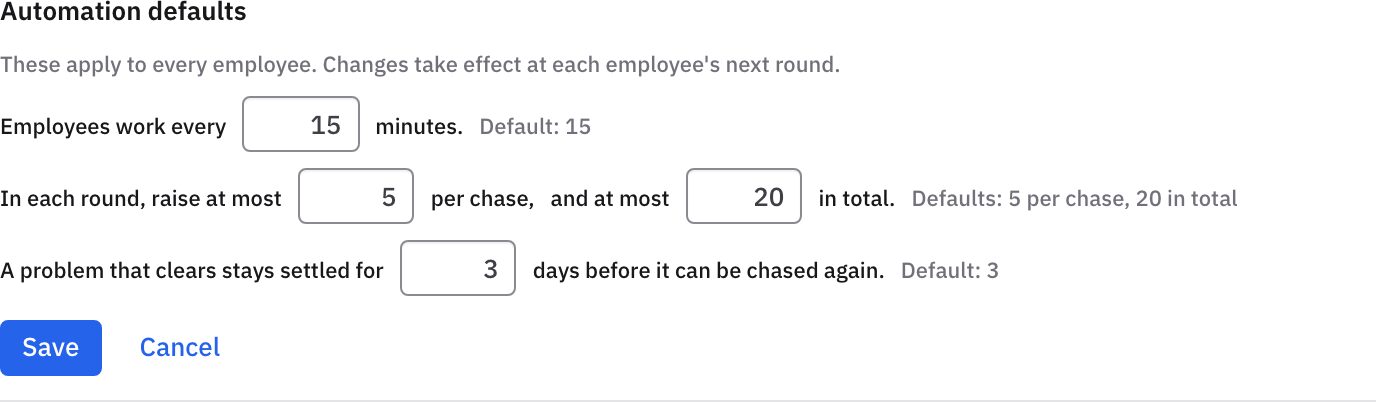
You decide how often they work and how much they raise. Helpful, never noisy.
- Set how often they run, for example every 15 minutes
- Cap how many items they raise
- A fixed problem is not chased again for a set number of days
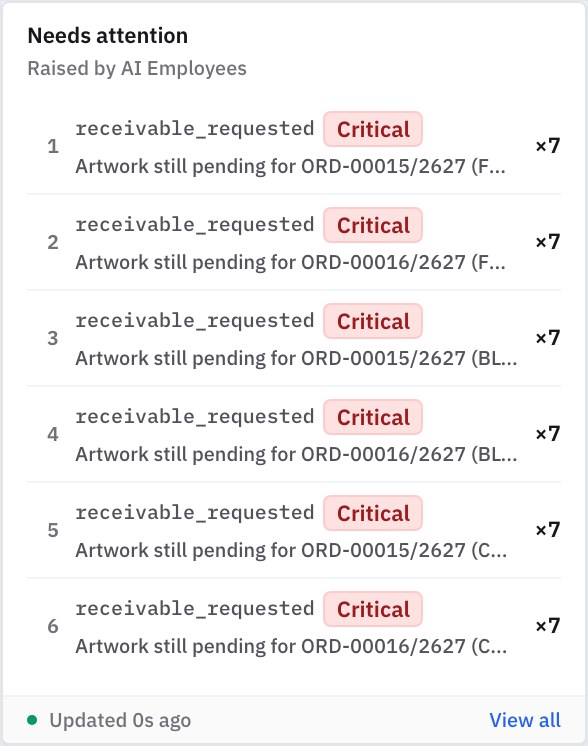
They watch every order and raise only what needs a person, most urgent first.
- Flags stuck jobs, pending artwork and low stock early
- Each alert links to its order
- No status meetings needed to find problems
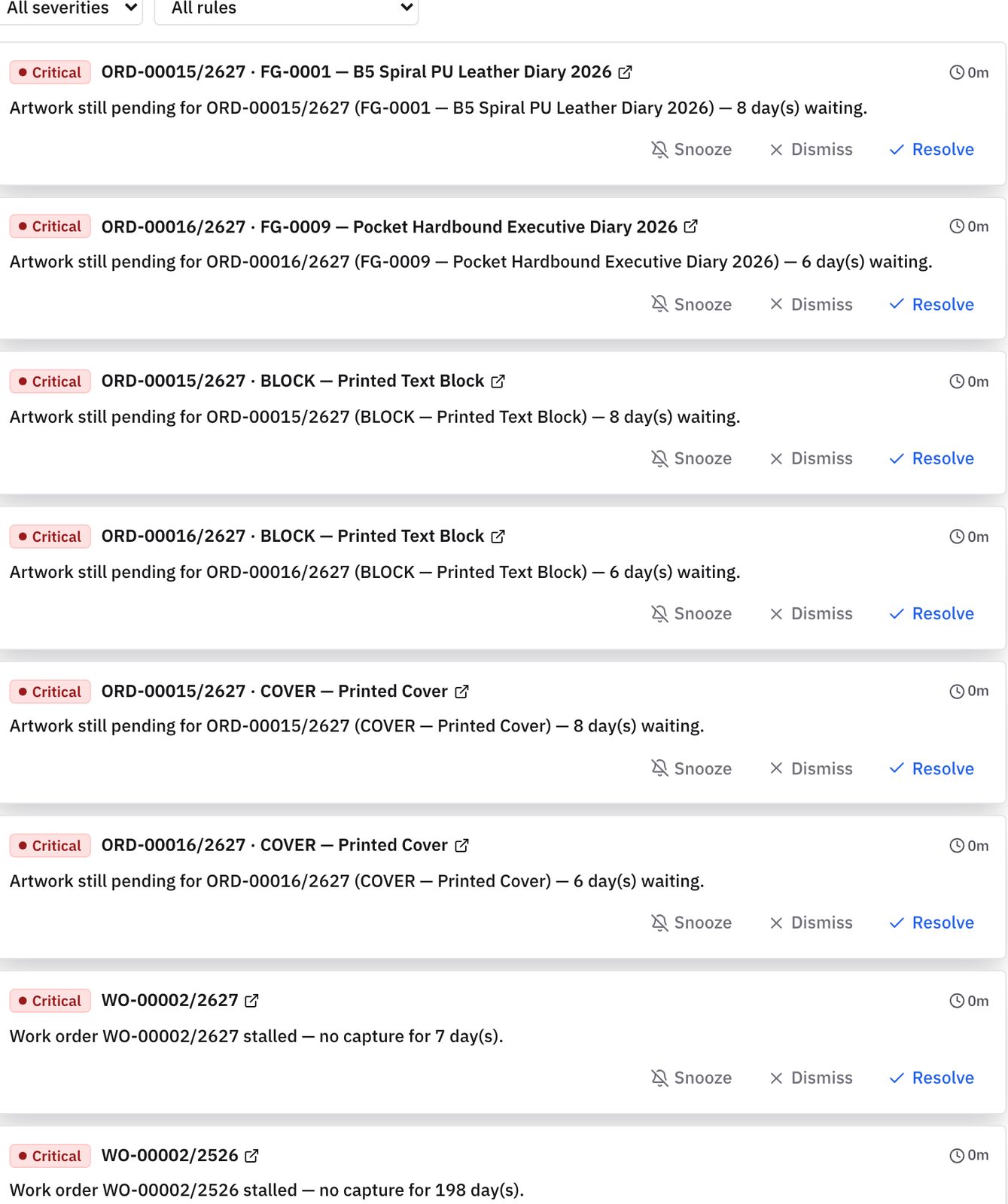
Every open problem in one list, grouped by how serious it is.
- Critical, high and routine sorted for you
- Snooze, dismiss or resolve right there
- See how long each issue has waited
Keep exploring
Works with
Questions you should ask before buying any system.
Will an AI Employee ever contact our clients or suppliers directly?
Never. This is a fixed limit, not a setting. AI Employees only work inside your system with your own staff. Your people handle buyers and vendors.
Can an assistant do something unintended or close a person's task on its own?
No. Every chase starts off. Assistants can only raise flags and create tasks. They cannot close tasks, release holds or change specs, and a named manager can undo anything.
Is this run by a large language model that might make up factory data?
No. It runs on fixed rules. If a proof is unapproved 72 hours after sending, it reminds the account executive. Nothing is guessed or made up.
How do AI Employees differ from normal notifications and attention items?
Attention items are flags, like an order running late. AI Employees turn those flags into tasks with deadlines for named staff. So problems get fixed, not just shown.
You should not need to spend your life walking the floor to discover the truth.
Bring us one problematic production order, one chronic bottleneck, or one metric nobody trusts. In thirty minutes, we will show you how Prodman restores order and calm, without asking your machine operators to become clerical typists.
Limited on-site implementations each quarter · Configured by hand