
Capture at the machine
A floor terminal operators actually use
Easy to learn in one shift, so real output gets logged at the machine.
What this costs while it stays invisible.
- Busy operators with oily fingers will not tap through menus full of text.
- With no terminal at the machine, output is written from memory at shift end.
- Paper job cards get lost once work spreads across finishing lines.
- Supervisors spend two hours a day walking bays to see what is ready for packing.
- Scrap stays hidden until a short shipment turns into a client complaint.


What changes when the floor can be trusted.
- Three taps: scan the job, scan the machine, enter good and scrap counts.
- Big number keys and picture prompts. No typing or reading needed.
- A quick PIN on shared tablets ties every run to the operator on duty.
- Operators can log only on machines that run that stage, so mistakes get caught.
- Impossible quantities are rejected before they mess up stock or plans.
- Operators report breakdowns or stockouts without leaving the machine.
- Every correction is logged. Nothing can be quietly deleted or changed.
How it works
Step by step on the floor.
- 1Scan the job ticket QR code
- 2Scan the machine barcode
- 3Enter good pieces and scrap
- 4Confirm, and plant WIP updates live
Inside the Software
Real application screens. Not concept mockups.
Here is the actual interface your machine minders and plant leadership interact with every day, captured directly from running production setups.
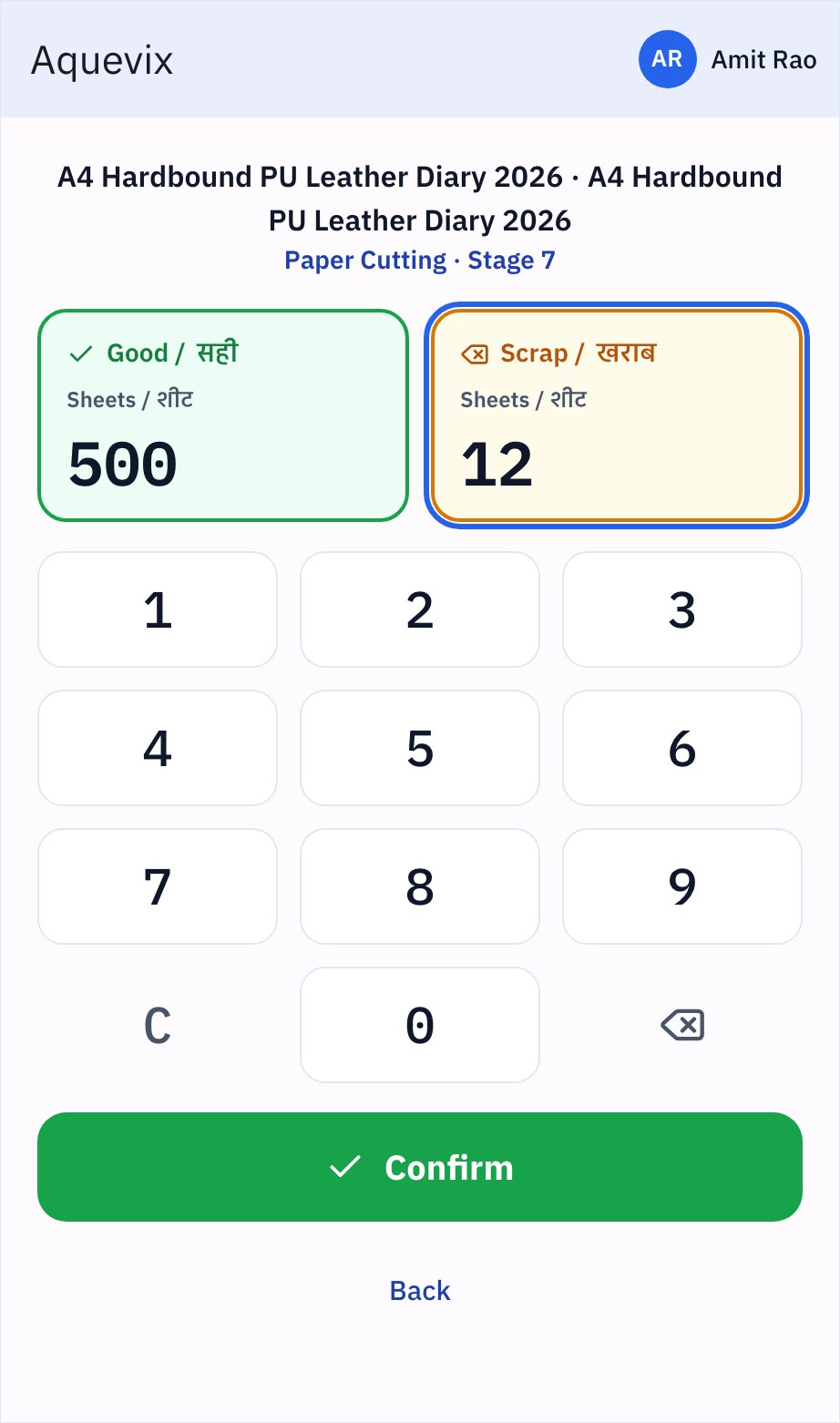
Big number keys with English and Hindi labels ('Good / सही', 'Scrap / खराब'). Operators enter counts in under three seconds, even with inky fingers.
- Hindi and English prompts
- No typing, no menus
- Impossible numbers get blocked
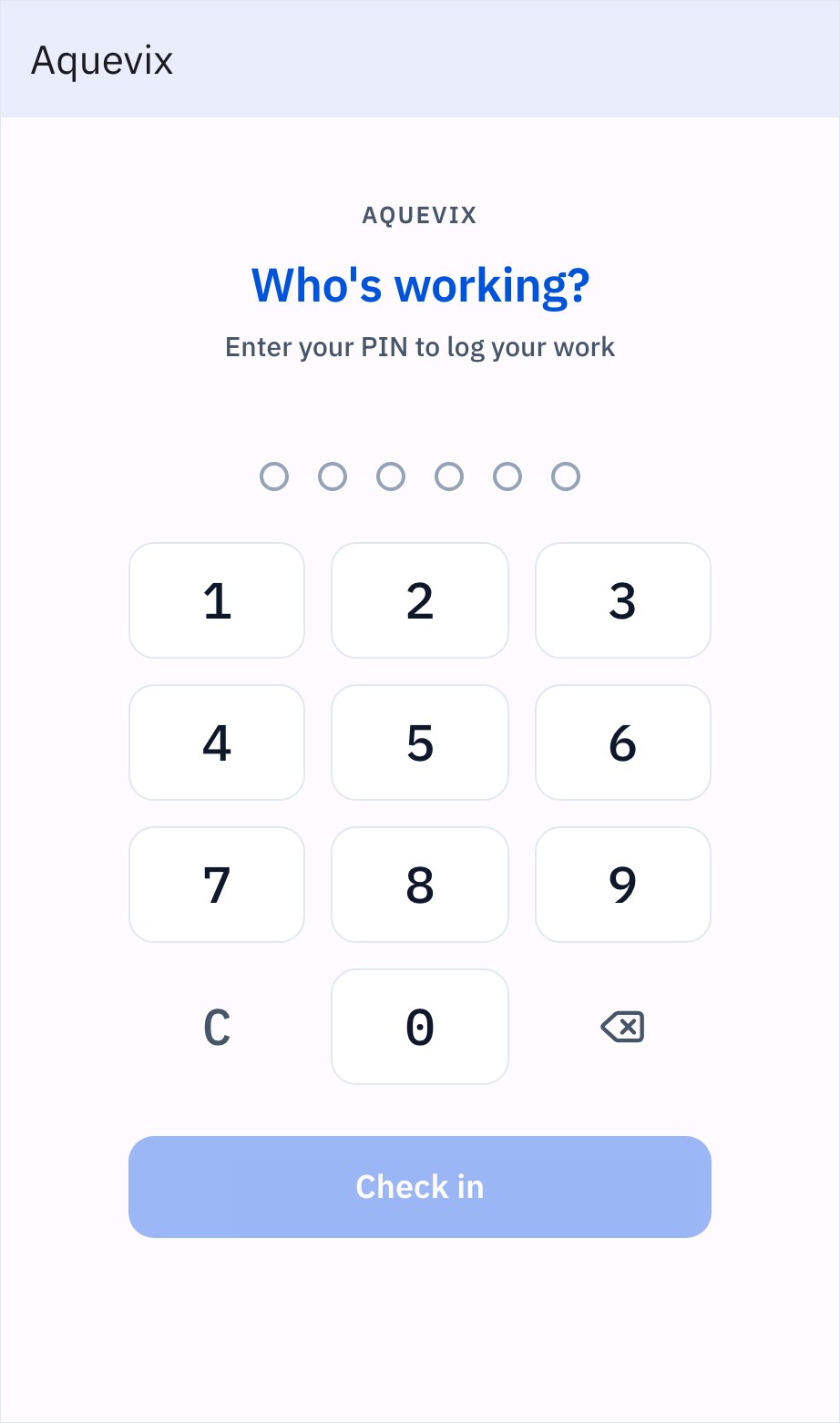
Operators enter their 6-digit PIN before logging a run. Many can share one tablet, and every run stays tied to the person on duty.
- Fast switch between workers on one tablet
- No passwords or email logins
- No more fake or forgotten paper logs
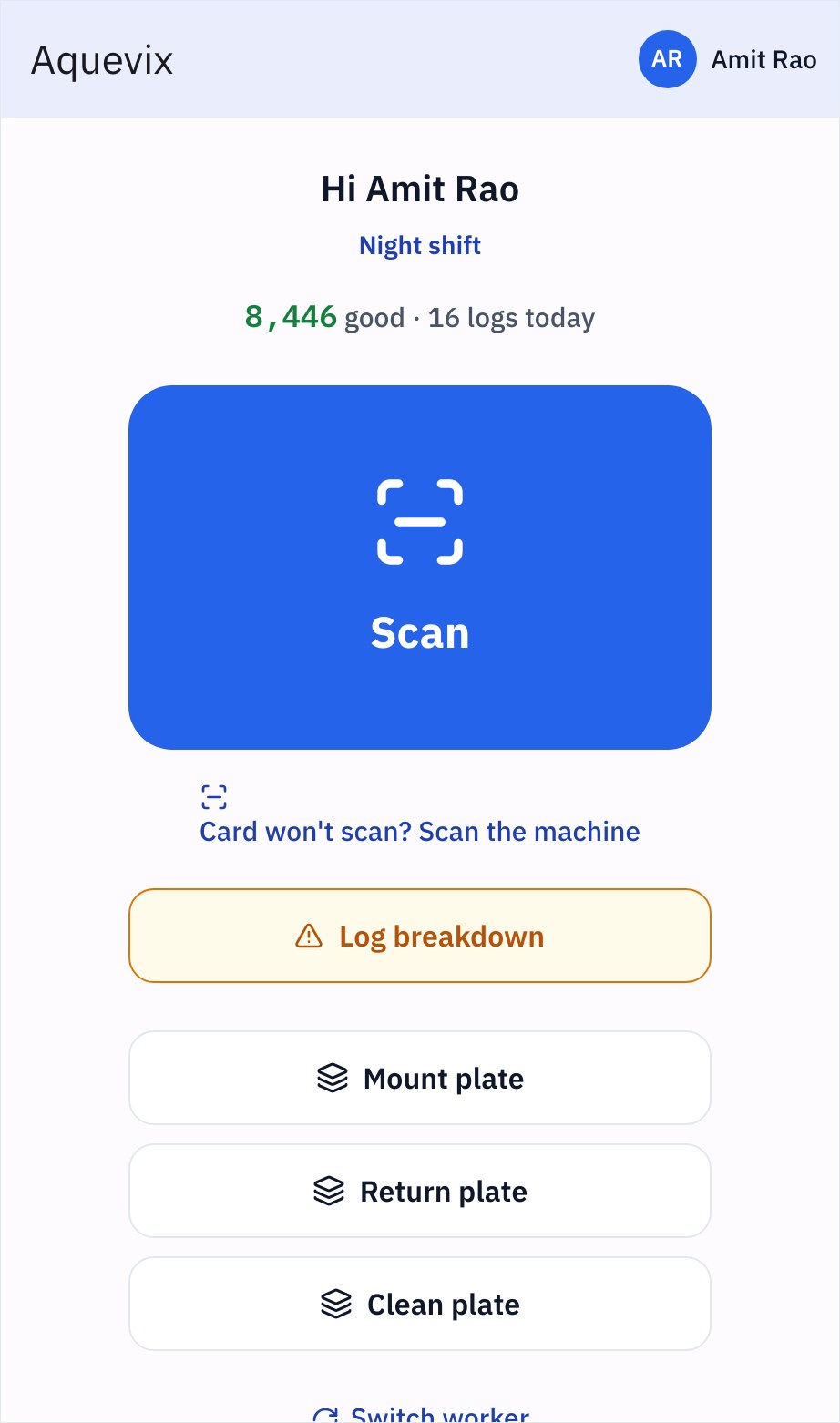
Shows live shift progress (8,446 good sheets across 16 runs), with one tap to scan a job, report a breakdown or log setup.
- Operators see their own shift total
- Report a breakdown without walking to the supervisor
- One tap for plate mounting, return and wash
Keep exploring
Works with
Questions you should ask before buying any system.
How do operators with limited English use the screen?
It uses icons, colours and numbers. The operator scans the job, scans the machine and enters two numbers. Nothing to read, nothing to type.
What happens if the shop-floor Wi-Fi drops?
The terminal shows a clear warning instead of failing quietly. The operator saves again once the network is back, so no run is lost.
How do you keep accountability when operators share one tablet?
Each operator has a four-digit PIN. They tap it before logging, so every run and scrap count is tied to a named person.
Can office staff type or override WIP numbers?
No. WIP comes only from floor scans. Nobody in the office can type in a guess, so your dashboard shows what is really on the floor.
You should not need to spend your life walking the floor to discover the truth.
Bring us one problematic production order, one chronic bottleneck, or one metric nobody trusts. In thirty minutes, we will show you how Prodman restores order and calm, without asking your machine operators to become clerical typists.
Limited on-site implementations each quarter · Configured by hand