
Quotes and pricing
Turn quotes into confirmed orders
Quote fast from fixed price lists, then turn the win into a work order in one click.
What this costs while it stays invisible.
- Quotes sit in Word files on sales laptops. The plant sees nothing until a rush order lands.
- The rate sales agreed does not match the bill, so clients hold payment.
- You do not know your win rate, or why deals were lost.
- Old quotes never expire. Buyers come back months later and want the old price.
- Staff re-type every spec into the work order, and mistakes creep in.


What changes when the floor can be trusted.
- Turn an accepted quote into a production order in one click.
- Lock each client's rates and charges, so the bill always matches.
- Every quote has a validity date, so a price jump does not eat your margin.
- Track win rate and lost reasons, so you decide on facts.
- Clients request quotes and accept them in the secure portal.
How it works
Step by step on the floor.
- 1The client asks for a quote in the portal, or sales enters the specs
- 2The estimator builds it from price lists and job costing
- 3The client accepts, with a timestamp
- 4The quote becomes a production order
Quotes and pricing
Inside the Software
Real application screens. Not concept mockups.
Here is the actual interface your machine minders and plant leadership interact with every day, captured directly from running production setups.
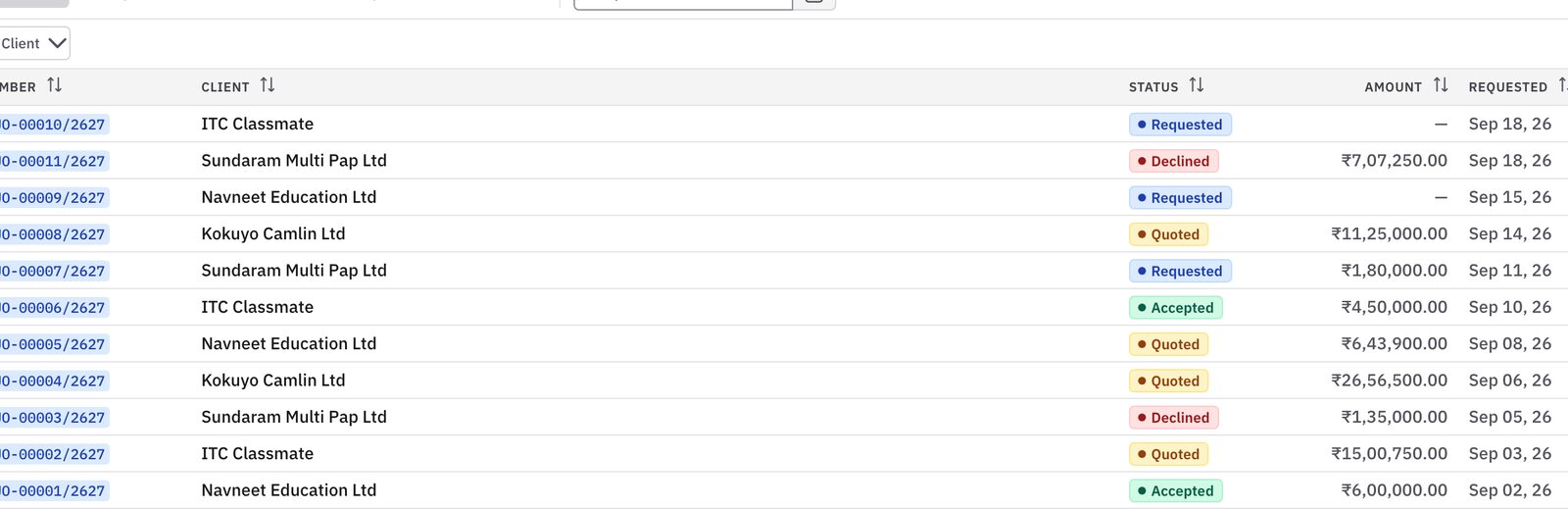
Every quote with client, value and status, so no follow-up slips.
- Open and won quotes at a glance
- Prices pulled from your price lists
- See your real win rate
Keep exploring
Works with
Questions you should ask before buying any system.
Can we set different price lists for different types of customers?
Yes. Set separate lists for distributors, key accounts and export buyers. Link a list to a customer and their quotes use those rates.
What stops customers accepting old quotes after material prices jump?
Every quote has a validity period, like 14 or 30 days. After that it locks, so sales checks current costs before sending it again.
Does the system keep a record of price discounts?
Yes. Any discount needs a reason and approval from your commercial head. No quiet margin cuts.
You should not need to spend your life walking the floor to discover the truth.
Bring us one problematic production order, one chronic bottleneck, or one metric nobody trusts. In thirty minutes, we will show you how Prodman restores order and calm, without asking your machine operators to become clerical typists.
Limited on-site implementations each quarter · Configured by hand